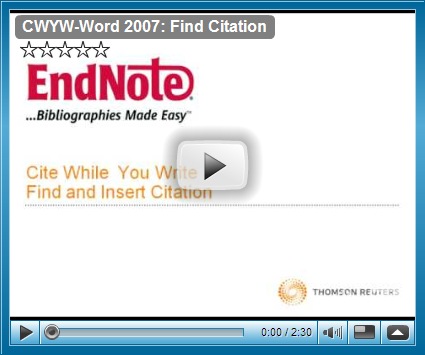
Program EndNoteX3 merupakan perisian penulisan bibliografi ataupun rujukan yang sangat berguna kepada pelajar-pelajar di Institutsi pengajian tinggi. Kepada mereka yang terlibat dengan penulisan ilmiah seperti tesis, kertas projek, ataupun disertasi, penulisan untuk bibliografi atau references/rujukan wajib ditulis di bahagian belakang penulisan. Kebanyakan pelajar akan menggunakan kaedah konvensional iaitu menulis secara manual.. Anda terpaksa menulis, menyusun dan menggunakan format yang telah ditetapkan seperti sistem APA. Perisian EndNoteX3 ini sangat membantu dan memudahkan kerja anda dan ianya sangat serasi dengan perisian Office Word 2003 dan 2007. Video di bawah ini merupakan tutorial yang boleh membantu anda untuk memahami cara penggunaan EndNoteX3
Edward de Bono dalam bukunya, Thinking Course menyatakan bahawa logik ialah satu cara menjana maklumat daripada sesuatu keadaan. Maklumat yang hendak dijana ialah sesuatu yang benar dan diterima akal. Beliau telah mengemukakan satu kaedah berfikir yang dianggap bersifat kritis. Dalam konsep berfikir secara kritikal, yang ditekankan adalah berfikir secara menyeluruh dan mendalam. Menyeluruh bermaksud sesuatu topik atau fenomena akan dinilai daripada pelbagai sudut atau aspek. Mendalam pula bermaksud setiap sudut atau aspek yang dianalisis akan dilakukan secara teliti dan selengkap mungkin.
Topi Hijau - Melambangkan pemikiran kreatif -bentuk pemikiran yang memfokus kepada mendapatkan idea atau pemikiran baru tentang sesuatu hal
Topi Kuning - Melambangkan pemikiran konstruktif atau membina - bentuk pemikiran yang memfokus kepada aspek positif sesuatu perkara
Topi Putih - Melambangkan pemikiran objektif.; Berusaha mengumpulkan maklumat sebanyak mungkin daripada situasi yang ada. Dalam skema ini, seseorang itu tidak akan membuat apa-apa keputusan awal, sebaliknya dia akan mengumpul maklumat sebanyak mungkin sebelum membuat sebarang keputusan.
Topi Hitam - Melambangkan pemikiran kritikal dan negatif- bentuk pemikiran yang mengambil kira atau memfokus pada hal yang negatif atau yang buruk sebelum melaksanakan sesuatu tindakan atau membuat sesuatu keputusan
Topi Merah - Melambangkan pemikiran emotif dan nilai - bentuk pemikiran yang cuba menyelami aspek emosi bagi sesuatu perkara yang sedang dibincangkan.
Topi Biru - Topi yang paling dominan dan bertindak sebagai pembuat keputusan- pemikiran yang menghala kepada pembuatan keputusan atau menentukan arah atau hala tuju sesuatu perbincangan atau permasalahan.
Keratan Video Oleh Edward De Bono mengenai Six Thinking Hat
Bagi seorang pendidik, kaedah ini boleh dipraktikkan mengikut kesesuaian. Walaubagaimanapun, pendidik diingatkan tidak mempraktikkan kesemua topi serentak dikhuatiri menyebabkan fikiran berkecamuk. Penggunaan weblog dilihat boleh diintergrasikan pemilihan kaedah Six Thinking Hat kerana ciri-ciri dan keistimewaan yang terdapat weblog (kolaboratif, konstruktivis) akan membantu mencapai objektif yang telah ditetapkan.
Read More...
Terdapat pelbagai kaedah p&p yang boleh digunakan dalam pengajaran dan pembelajaran. Dengan kemajuan teknologi, pendidik perlu mengambil peluang bagaimana kita mampu mengadaptasikan teknologi untuk memudahkan penyampaian dan seterusnya manfaat dapat diberikan kepada pelajar. Penulis banyak membaca artikel-artikel dari Sue Water yang banyak menerbitkan artikel-artikel mengenai penggunaan blog dalam pendidikan. Ada beberapa persoalan yang boleh ditimbulkan mengenai penggunaan blog dalam pendidikan iaitu...:
Apakah faedah/manfaat yang diperolehi oleh pendidik/pelajar apabila weblog digunakan dalam pendidikan?
Apakah cabaran yang dihadapi oleh pelajar/pendidik dari kompentensi dan bagaimana ianya dapat diselesaikan?
Adakah penggunaan weblog ini dapat menarik minat pelajar atau meningkatkan motivasi pelajar terhadap pembelajaran mereka?
Bagaimana pendidik dapat menggunakan pendekatan/kaedah pedagogi melalui penggunaan weblog dalam P&P?
Di sini penulis memancangkan keratan video yang diperolehi dari David Truss mengenai penggunaan weblog dalam pendidikan.
Beberapa tahun kebelakangan ini, transformasi yang sangat besar telah berlaku bagaimana penggunaan internet telah berubah cara dan kaedah penggunaan internet. The world Wide web (WWW) yang dahulunya adalah media ‘read only’, kini telah bertukar menjadi media ‘read/write’.
Pengguna Internet kini sudah boleh menjadi pencipta, pemberi ataupun menyalurkan maklumat secara teks, audio mahupun video. Ia juga boleh membentuk rangkaian dan komuniti sendiri, membuat refleksi mengenai artikel yang terbitkan berdasarkan keistimewaan Web2.0 sekarang ini. Selain dari itu, orang ramai boleh berkongsi lagu di dalam rangkaian yang mereka bentuk sendiri. Teknologi Sosial seperti komuniti atas talian (Communiti Online), Pengantara Komunikasi Video (video mediated comunication) dan Perkhidmatan Media Sosial (Social Media Services) seperti Facebook dan Youtube sebenarnya telah meletakkan kuasa kepada pengguna. Kemudahan kepada orang ramai berkongsi kepakaran dan saling mempelajari diantara satu sama lain (Attwell 2006, Downes 2005, Siemens 2006).
Secara tidak formal, fungsi di dalam komuniti online, hubungan diantara ahli-ahli komuniti kerap dan saling memberi dan menerima dan ianya berlaku dengan lebih demokratik. Kebanyakan aktiviti ini dapat menarik minat individu untuk terus melibatkan diri (DeSouza & Preece 2004, Salavuo 2006). Perubahan ini jugalah memberikan tindakbalas bagaimana cara pengguna mendengar, berlatih dan mempelajari muzik dan bagaimana pemuzik dapat berkolaborasi (Draper 2007). Secara keseluruhannya sektor pendidikan adalah sedikit terkebelakang jika dibandingkan dengan kemunculan teknologi masa kini yang banyak memperkenalkan pelbagai cara dalam komunikasi. Walaupun institusi pendidikan telah banyak menggunakan Sistem LMS (Learning Management System) sebagai penambahbaikan tetapi penggunaannya masih berdasarkan kepada paradigma lama yang mana guru masih lagi berkuasa penuh (Bereiter 2002). Perkhidmatan web dan utiliti terkini dan cara penggunaan dan kaedah pembelajaran yang sesuai akan memberikan hasil yang berkualiti. Oleh itu, sebagai pendidik, perlu diambil peluang ini untuk digunakan dalam mempraktikkan pengajaran dan pembelajaran secara online khususnya di dalam Pendidikan Muzik. Social technologies boleh membantu memperkembangkan aktiviti yang tidak boleh dicapai oleh kaedah tradisional yang berorientasikan peperiksaan. Insittusi pendidikan boleh mendapat manfaat kesan dari intergrasi ini
PEMANDANGAN kelihatan seperti waktu senja di sebuah stesen kereta api yang sibuk. Barisan gerabak menunggu penumpang yang mundar-mandir di platform atau membeli makanan ringan di kiosk berhampiran.
Namun hakikatnya, pemandangan itu adalah set kereta api terbesar dunia yang dibina dua adik-beradik kembar selepas menghabiskan masa sembilan tahun dan membelanjakan RM42.35 juta.
Landasan kereta api sepanjang 9.6 kilometer itu bergerak melalui beberapa bandar dan pemandangan terkenal dunia — dari kawasan pergunungan Switzerland hinggalah ke hotel and kasino di Las Vegas.
Taman diberi nama ‘Miniatur Wunderland’ itu bergerak melalui enam kawasan, termasuk Amerika Syarikat (AS), Switzerland, Scandinavia, Jerman dan Pergunungan Alps Austria.
Di kawasan AS, model Pergunungan Rocky, Everglades, Cape Canaveral dan Grand Canyon begitu halus dan nyata.
Manakala di Switzerland, Gunung Matterhorn gah berdiri setinggi enam meter daripada set miniatur itu.
Kembar, Gerrit dan Frederik Braun, 41, dari Hamburg memutuskan untuk membina model itu dengan menambah 4,000 kereta bergerak, 160,000 patung dan juga pelbagai jenis pengangkutan lain.
Satu muzik festival turut berlangsung di Switzerland dan satu pemandangan polis menangkap penjenayah turut melengkapi model itu.
Kembar Gerrit bagaimanapun menyatakan, projek mereka itu belum siap sepenuhnya dan hanya akan sempurna pada 2014.
“Ia bukan hanya model tapi dunia yang menjemput pengunjung untuk berkhayal,” kata Frederick.
Gerrit pula menyatakan, mereka ingin membina dunia yang dikagumi bukan saja kanak-kanak, tapi juga orang dewasa.
“Kami sentiasa bersedia untuk menyahut sebarang cabaran, tidak kira betapa sukar untuk memulakannya. Dengan sikap itu kami akhirnya berjaya menghasilkan sesuatu yang mengagumkan pengunjung,” katanya.
Model itu menggunakan jumlah yang sukar diterima akal. Ia mengandungi 700 kereta api dan 10,000 gerabak, Kereta api terpanjang berukuran 46 kaki dan semuanya dikawal oleh pusat kawalan khas.
Model itu turut menggunakan 900 lampu isyarat, 2,800 bangunan, 4,000 kereta dan 160,000 individu yang direka khas.
Kira-kira empat tan besi digunakan untuk membangunkan pemandangan yang menakjubkan ini dan juga 698 kilogram rumput tiruan.
Manakala 250,000 lampunya pula dipasang dengan sistem automatik yang akan menyala dan padam mengikut kitaran malam dan siang.
Keseluruhan, projek ini memakan masa 500,000 jam dan membelanjakan dana kira-kira RM42.35 juta.
“Segalanya mungkin di Wunderland, sama ada berjudi di Las Vegas, menaiki Alps atau bersampan di Norway.
“Dunia ini bagaimanapun akan terus membesar dan anda boleh alami pengalaman malam dan siang di wilayah berbeza dalam tempoh hanya beberapa jam.
“Ini bukan hanya satu model kereta api, tapi dunia yang menjemput pengunjung melihat dan menempuh pengalaman berbeza.
“Ia memberi gambaran mengenai kepelbagaian pandangan dan membuka peluang kepada pengunjung menilai dunia kita daripada perspektif yang berbeza,” kata Frederik.
Miniatur Wunderland dibina berhampiran Sungai Elbe di Speicherstadt di Hamburg, Jerman.
Dari semasa ke semasa perkembangan teknologi dalam pendidikan semakin berkembang dan digunapakai di dalam bilik darjah. Instruksi ini diguna pakai mengikut objektif dan matlamat tertentu. Begitu juga dengan kaedah gunapakai yang perlu di ambil perhatian agar peranan guru akan menjadi lebih efektif iaitu dalam erti kata teknologi dan manusia perlu keseimbangan. Bagi pendidikan muzik, ia juga tidak boleh lari dari tuntutan menggunakan teknologi sebagai kaedah pengajaran. Simposium Tanglewood Music Education merupakan satu badan yang banyak membincangkan penggunaan teknologi dalam Pendidikan Muzik. Sila rujuk artikel di bawah ini:
Scott D. Lipscomb
University of Minnesota
Brief Chronology
• late 1950s & 1960s - initial CAI investigations
o television, tape recorders, video recorders, & slide projector were primary early technologies of interest
• 1970s - emergence of computer-based investigations
• picked up significantly in the 1980s
• we now have a solid quarter century(+) of research upon which to base our understanding of the efficacy of technology in the music learning process
Reviews
• Higgins, W. (1992). Technology. In R. Colwell’s (Ed.), Handbook of Research on Music Teaching and Learning (pp.480-497). NY: Schimer Books.
• Peters, G.D. (1992). Music software and emerging technology. Music Educator Journal, 79(3), 22-25, 63.
• Berz, W.L. & Bowman, J. (1994). Applications of research in music technology Reston, VA: Music Educators National Conference.
• Walls, K. (1997). Music performance and learning: The impact of digital technology. Psychomusicology, 16(1-2), 68-76.
• Webster, P.W. (2002). Computer-based technology and music teaching and learning. In R. Colwell & C. Richardson (Eds.), The New Handbook of Research on Music Teaching and Learning (pp. 416-439). NY: Oxford University Press.
Periodicals
• Legacy
o Journal of Computer-Based Music Instruction (1977)
• Dedicated
o Journal of Technology in Music Learning (N.Barry, Ed.)
o New Journal of Music, Technology and Education (D. Collins, Ed.)
• Related papers sometimes included
o JRME, CRME, JMTE, CME, & others
Research Presentations
• Association for Technology in Music Instruction (ATMI)
emerged out of NCCBMI in 1992
o Association for the Development of Computer-Based Instructional Systems (ADCIS)
o National Consortium for Computer-Based Music Instruction (NCCBMI)
split from ADCIS in 1975
• Technology Institute for Music Educators (TI:ME)
Bidang ICT memang tidak dapat dipisahkan dalam bidang pendidikan ketika ini. Perubahan yang berlaku dalam bidang ini begitu cepat, pantas dan efisien. Begitu juga halnya yang berlaku dalam Pendidikan Muzik. Technology Institute for Music Education (TI:ME) telah mengklasifikasikan mengikut bidang pengkhususan dalam Pendidikan Muzik. Bagi mereka yang sedang membuat kajian mengenai Teknologi dalam Pendidikan Muzik boleh melihat dengan jelas tentang pengkhususan atau kategori mana yang menjadi pilihan anda.. Di bawah ini merupakan kerangka mengenai artikel ini...
Computer Systems (CPU, I/O Devices, Storage Devices/Media, etc.)
Lab Management Systems (Korg, Roland, Lentines, etc.)
Networks (Network Manager Software, Server, etc.)
Content Area Summaries
Electronic Musical Instruments
Operate electronic instruments
Understand their unique characteristics.
Use them in the classroom.
Connect instruments to computers and other instruments using MIDI
Create layered and split keyboard sounds for performances.
Choose and edit sounds from stored libraries
Create sounds using an electronic instrument.
Create simple to complex musical pieces.
Teach dexterity and technique.
Teach musical processes with electronic keyboards.
Integrate electronic instruments into existing ensembles
Create entirely new electronic ensembles.
Operate sound reinforcement equipment
Set up and connect a variety of electronic instruments for use in concerts in the school environment.
Music Production
Record and edit music using music production software and hardware
Understand the various processes and procedures used for recording and editing music including sequencing, looping, signal processing, and sound design
Understand the types of data involved in music production.
Store and convert digital audio data
Store and convert MIDI data
Understanding the different applications and capabilities of audio and MIDI data
Use software synthesizers to create digital audio under MIDI control
Actively apply technology tools in the music production process.
Enter notes in a MIDI sequence either one at time (step-time) or by performing (real-time).
Enter musical expressions by changing controller values to produce a more musical performance.
Produce transcriptions in standard music notation
Use advanced editing and production techniques
Perform complex mixing processes
Integrate digital audio with MIDI data in the sequencer environment.
Demonstrate orchestration and arranging techniques allowing students to immediately hear the example.
Change tempos, transposition, timbre, and dynamics
Teach musical concepts using music production software and hardware
Teach performance on traditional acoustic instruments using the MIDI sequencer as accompaniment
Today’s music teacher needs to understand how these software tools operate,
How to access music data in loop form
How these loops are imported into the production process
How to guide students in the crafting of musical phrases using loops
How to put all of this into the larger context of music production processes.
Expose students to music of different cultures
Understand the building blocks of musical style and form through the use of looping tools.
Understand sound, and how various signal processing techniques can be used to enhance audio in the production process.
Add effects such as reverb, chorus, and echo.
Improve clarity of a mix using equalization.
Supervise students in their production projects
Use music productions in live performance
Use music production techniques to and for improving the sound quality in recordings of student performances.
Music Notation Software
Create a score for any musical ensemble or instrument
Enter notes using various approaches including typing, point and click, step entry, and real-time entry.
Edited scores
Transpose songs
Cut, copy, and paste music
Add expression markings
Layout a complete musical score
Extract parts
Integrate notation files into word processing software for text handouts and exams
Integrate notation software into classroom activities
Demonstrate relationships between symbol and sound.
Guide students in the use of notation software as a creative tool for composition.
Guide students in learning the basics of notation
Teach students to hear what they write.
Technology-Assisted Learning
Have a broad familiarity with available instructional software.
Understand how to install, use, and integrate these programs into their music curriculum taking full advantage of the record-keeping, evaluation, and instructional support CAI software provides.
Prescribe instructional software to provide students with a patient practice partner, allowing self-paced progress through subject matter.
Monitor class work and record progress using CAI software.
Integrate practice tools into their curriculum
Guide students in better use of them in their personal practice sessions.
Integrate these practice tools with music notation and sequencing programs
Create additional materials for student practice, more closely aligned with the school’s curriculum.
Connect computers to the Internet
Share files between computers of varying platforms
Effectively search and retrieve information.
Encourage students to use the Internet to find answers and to become life-long learners beyond the classroom experience.
Encourage students can use this vast information resource to research any topic. Many libraries, both public and private, allow students to search their catalogs online and will give them the references requested.
Multimedia
Understand basic multimedia authoring strategies including slide show presentations, electronic portfolios, and/or internet web sites.
Create materials for use in their classes.
Guide their students in learning multimedia authoring
Guide students inc collecting multimedia materials from Internet
Guide students in compiling media rich reports.
Record and edit sound
Capture video,
Acquire images from digital cameras
Scan pictures and drawings.
There are many technical issues in creating and manipulating these media elements.
To transfer information from the real world (analog domain) into the virtual world (digital domain), information must be captured and digitized.
This is usually accomplished through some form of analog to digital conversion technique.
Graphics may be digitized using either digital cameras or scanners that convert images into a collection of numbers called pixels (picture elements).
Each pixel is a dot on the computer screen and represents one of up to a million possible colors.
Each color is identified by its own discreet number. When digitizing video, a complete screen of pixels must be captured every thirtieth of a second in order to produce the thirty frames per second quality common to analog video.
In the digitization process of any media type there are always tradeoffs because image, sound, and motion quality is based on the amount of memory, storage, and processing power of the computer.
To successfully work with digitized media, teachers must understand how computers process data, how data is stored and retrieved from disk, and how to balance sample or frame rate, bit resolution, data transfer rates, data compression schemes, and the various file formats in which digital media can be stored.
Teachers need to know how to use the various editing tools available for digital media and how to edit and process media file types.
Teachers must also learn to use various tools that allow files in one format to be converted to another so that files can be combined into multimedia authoring environments.
At the advanced levels, teachers should be able to use authoring tools which allow them to integrate digital audio, video, graphics, and text into a single document which can enrich various musical activities.
Strategies for digitization, editing, storage, and distribution of electronic media have become necessary skills for the twenty-first century teacher.
Teachers also need to know how to combine these media into meaningful learning experiences for students.
Perhaps even more important is helping students learn to express themselves in this new media, as a literacy requirement for their future.
Productivity Tools, Classroom and Lab Management
Create, edit, and store information or data in digital form.
Operate and configure operating systems as needed.
Take data from one program to another converting file formats as needed.
Manage the work of being a teacher.
Manage a technology facility, be it a single computer and MIDI workstation in a classroom or a full music technology multi-station lab.
Understand the basic functionality of the personal computer, the various input and output peripherals, and the variety of media used to store, transport, and retrieve information.
Know the basic software tools used to manage a music program.
Use word processing software to enter, edit, format and print text-based documents.
Use word processing software to create concert programs, class handouts, tests, and various other office-related documents.
Use database software can be used to store and retrieve records for instrument and music inventories, class lists, attendance, and grades. Spreadsheet programs assist with the management of data including budget management, bookkeeping, or grades.
Use graphics programs to integrate illustrations into classroom presentations or word processing documents.
Presentation software can be used to create overhead transparencies and slides for class lectures, or for presentations made to administrators, funding agencies, and parent groups. Personal Information Management (PIM) programs allow teachers to schedule rehearsals, meetings, and concerts, and to print customized calendars for students and parents.
Install and run various applications programs
Enter data, format pages, and print out reports.
Manage class activities and lab systems.
Provide for storage of student files.
Protect against computer viruses
Develop strategies for maintaining their facilities in a manner that ensures effective use of the workstations while accomplishing their program needs and the goals of their curriculum.
Understand the way that multiple systems work together in a networked lab environment
Understand how audio, MIDI, and computer data is managed and distributed between systems.
Operate networked server computers on which teachers may store classroom materials, and where students may post assignments for review. Today’s teachers must understand how these systems work to most effectively use them in support of better teaching and learning.
Specify equipment needs for their classroom or lab facilities,
Understand the interaction and configurations for electronic instruments, computers, MIDI interfaces, sound reinforcement, projection systems, and sound and data networking.
Manage music technology installations.
TI:ME Areas of Competency and courses in which they are addressed
Technology is becoming more and more prevalent in schools across the country. Music educators see their fellow teachers benefit from the use of technology and often ask what technology can do for them and how they can get started. These are important questions, yet there is one other important question that usually only the skeptics ask – why should I use technology in music education? Technology is a tool, and as with any tool, it should be carefully evaluated to determine its effectiveness and appropriateness within our instructional situation.
These three questions: why should I use technology in music instruction, what can I do with music technology, and how do I get started need to be addressed. Beware of people who oversimplify, touting one particular product or one particular method over another. Each learning situation has different considerations, each teacher has his or her own style of teaching, and students have their own unique learning styles.
Why should I use technology in music instruction?
Educators that incorporate technology into their instruction have indicated that some of the main benefits are individualized instruction, assessment and motivation. These three areas are closely related. Students are motivated when they achieve goals that were once slightly beyond their ability. The process of instruction and assessment should be designed to help students set and achieve realistic goals, which in turn generates intrinsic motivation. The more individualized we make the instruction and assessment, the more effective this process is.
Individualized instruction is beneficial since students do not develop musically at the same rate. Students’ musical experiences and needs are so widely varied in a typical classroom and they are not all interested in the same types of music. This makes it difficult to offer individualized instruction. Additionally, many teachers find it hard to give as much individual attention and assessment to each student as they would like. Budget cuts add to the time restraints, making this even more difficult.
Although computers can never replace a music educator, the benefits of individualized instruction, assessment and motivation can be used to supplement the learning that takes place through performing. Using technology, students can work at their own pace, spending more time on what they need work on. Student performance anxiety can be reduced by focusing on learning and not peer competition. Evaluation of responses can be totally accurate and impartial. Assessment is generally immediate, allowing students to correct their mistakes while fresh in their mind. If there is any doubt about the motivating power of technology, one only has to observe students, especially young children, work with a well designed educational computer game.
The way computers describe or represent information often differs from our traditional perception. Although this may be a source of frustration, it can also be beneficial to view information, and specifically music, in a new way. This can be useful in developing and identifying new teaching and learning styles. For example, many music programs represent music using a graph of pitch and time. Some of my adult students have benefited from viewing music in this regard and then associated it with traditional notation.
Technology also creates possibilities for performance that may not have existed otherwise. In a sense, a computer can become a musical instrument that students may use for creating or performing music. Students can create and perform music that may previously have required skills or resources (such as large ensembles) that would have otherwise been unavailable.
Any discussion focusing on the merits of using technology in music instruction must also address the potential problems. One of the foremost concerns that has caused the acceptance of technology in music education to be slower than in other educational fields is that of ease of use. Cumbersome technology can quickly shift the focus off of music learning. As well, some technology does not give control over to curriculum planning and evaluation techniques and criteria to the teacher.
Fortunately, these problems can be resolved by selecting the appropriate hardware and software. Careful planning and thoughtful consideration can help avoid these problems. Overall, the benefits of using music technology should outweigh the potential difficulties.
What can I do with music technology – or what can music technology do for me.
Before developing guidelines for selecting appropriate materials and implementing them, it is important to note that the use of technology must be consistent with your instructional goals. A particular program should not be used simply because it exists. Instead, as with any tool, technology should be used because it assists in meeting your goals.
There are many ways that technology can help you meet your instructional goals. I plan to discuss these in terms of musicianship/theory, creativity (composition, arranging and improvisation) and listening/music history. There are many music programs designed to help students develop their musicianship or improve their note reading ability. Notation and sequencing programs assist students in writing music. Accompaniment software aids in improvisation and there is a plethora of CD-ROMs focusing on music history and listening. In addition to all of these pre-made programs, educators can easily create their own resources for students.
How do I get started?
Most educators start out by cobbling together hardware and software from various sources. Do not overlook the many sources of used computers. Many businesses and parents are happy to donate their old computers to a school. It is amazing what you can still do on older computers! Eventually, however, you will probably need to invest some money into technology. In addition to your typical sources, remember that technology sells. Government, business and the public place a high value on technology. Do not be afraid to promote the benefits of using technology in music education, you may be surprised at the interest in generates.
Start networking with people who have already started using music technology. In additions to the MENC, get in touch with organizations such as the Association for Technology in Music Instruction (ATMI) or the Technology Institute for Music Educators (TI:ME). Keep in mind that dealers should also be good sources of information. When you buy hardware or software, remember that you are not just buying a product – you should be buying experience and expertise as well. Find a dealer who will offer you advice based not only on your current situation, but also on your future goals. In addition to just selling products, a dealer should be a resource person, offering suggestions for acquiring funding. A good salesperson will have suggestions for you and ask you questions to help identify your needs.
When it comes to choosing between a Mac and a PC, I do not believe that one is inherently better for musical applications than the other. Instead, individual circumstances should be considered when making a decision. Among other things, consider your school’s policy, the hardware, software and support available, your experience and your students’ experience. Listen to the opinions of people who carefully examine your situation. There are many excellent books, magazines and buyer’s guides dedicated to helping people purchasing computers. Community colleges often offer courses for first time computer buyers. Do not trust a computer salesperson to recognize your needs, especially when it comes to music-related software and hardware.
In general terms there are few points to consider. Whenever possible, obtain a demonstration version of the program so that you can evaluate it on your own. Focus on the following points:
Technology must be musical. The program should:
·Produce musical sounds.
·Endorse and reward musicality.
·Use musical means of communication. (Typing on a computer keyboard is not a very musical way of communicating.)
The program must be easy to use:
·Is the manual useful?
·Does it come with training videos?
·Where will you find answers to questions? (Can you turn to technical support, dealer support or colleagues?)
The program should be technologically sound:
·Does it use standard file formats such as MIDI?
·Is it compatible with the equipment you have?
·Does it crash frequently? (There are still programs sold on the market that do not work very often, if at all!)
·How often, if ever, is the program updated? How much does it cost to obtain the upgrades?
Do not make the mistake of buying the first program you try, without trying others of the same type. Try to find a salesperson (or other resource person) who has experience with many different programs and can explain the differences. Beware of people who use absolutes: there is usually not one program that is “the best” for everybody in every situation.
If you already own a computer, you may be surprised to find out what you can do without spending your life savings. Most computers now come with some sort of sound capability built-in.
If you already own a MIDI device, then an inexpensive MIDI interface will allow you to connect it to the computer. In addition to allowing you to record MIDI information on your computer, you may also send the MIDI data to an external sound source (such as a synthesizer) instead of your soundcard.
You may notice that the sounds produced by your built-in card are not acceptable for anything more than playing games. A quick comparison between even the top of the line SoundBlaster compatible game cards and a true professional MIDI card will quickly prove that there is a big difference between “game” cards and “music” cards. Unfortunately, most buyers only have opportunity to hear the difference between the various game cards. Purchasing a soundcard should be no different from purchasing a musical instrument – make sure you can try as many as you can!
There are a number of avenues available for improving the sound quality on your computer, including soft synths and sound modules.
The advantage to a sound module is that it can be used on any computer without having to remove a card from the computer. They can act as a MIDI interface for the computer, allowing the connection of a MIDI device to the computer. They can also be used independently of the computer with any other MIDI instrument and don't suffer from latency (delays between hitting a key and hearing the sound).
A new contender in this arena is software synthesis. Rather than having a dedicated chip produce music, programmers have written software that uses the computer’s main chip to model real instruments. Apple’s QuickTime features this type of software synthesis and Windows XP comes with a built in soft synth from Roland. High end soft synths with very realistic playback are also available.
These programs are significantly less costly than a dedicated sound card, however they will only run on computers with fast processors. Since they rely on the same chip that the rest of the computer is using, performance will often lag.
There are many exciting develops in the area of music technology on the horizon. However, it is essential to remember that technology is a tool, and as with any teaching tool should be carefully evaluated to determine its effectiveness in meeting our goals. There is no better time to start using technology than the present. Develop contacts who can offer suggestions and guidance, and be willing to share your own experiences with others. Technology can help you and your students become better musicians.
Kelly Demoline
Kelly Demoline is a music educator and president of Kelly’s Music & Computers. In addition to his K-12 teaching experience, Mr. Demoline was also the Music Technology coordinator for Brandon University. Mr. Demoline can be reached by e-mail at kelly@kellysmusicandcomputers.com
Kelly’s Music & Computers provides a broad range of music technology solutions for music educators and can be found on the web at http://kellysmusicandcomputers.com or toll free 1-888-562-8822.